Export
Export is in the ⋮ menu in the mixer and in a song's menu in the library.
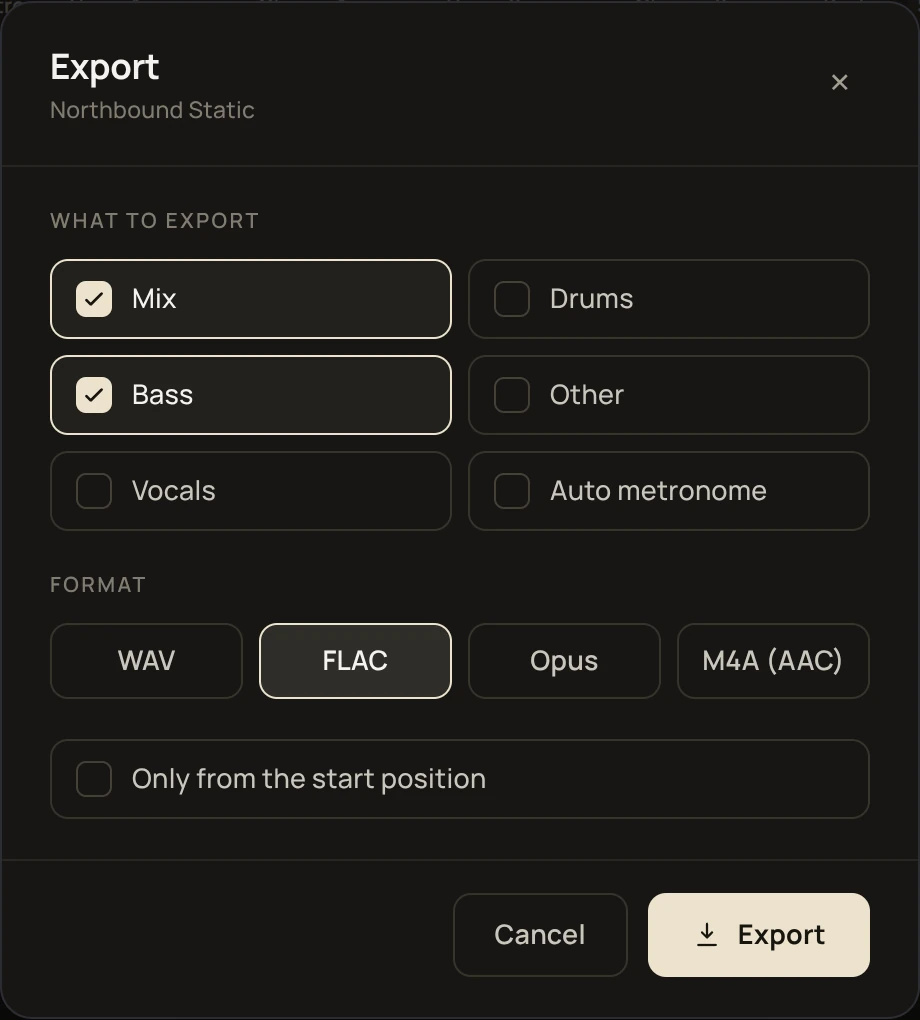
What you can export
- Mix: the song as you hear it in the mixer, with each track's volume, mute, solo, pan and EQ, and the tempo and key you've set.
- Vocals, Drums, Bass, Other: single stems, as they came out of the separation. Mixer settings, tempo and key are not applied.
- Auto metronome: the click track on its own, following the song's beat grid.
- Original: shown when the original track is turned on in Settings. See Original track and phase invert.
Exporting more than one item saves a single zip file.
If you've changed the tempo or key and export the mix together with stems, they won't line up, because the mix uses your tempo and key and the stems keep the original.
Formats
- WAV: uncompressed.
- FLAC: lossless, smaller than WAV.
- Opus: compressed, the smallest files.
- M4A (AAC): compressed, plays on most phones and music players.
Only from the start position
With this on, the export begins at the song's start point and leaves out anything before it. See Start point.
While it exports
You can close the export window and the export keeps running. Open it again to check the progress or cancel. Only one export runs at a time.