Turn any song into a backing track.
Split any song into vocals, drums, bass and the rest. Mute your part, slow it down, loop the hard part, play along. Works offline. Free forever — no account, no subscription.
Split any song into vocals, drums, bass and the rest. Mute your part, slow it down, loop the hard part, play along. Works offline. Free forever — no account, no subscription.

How it works
Drag in any audio file from your computer: MP3, WAV, FLAC, M4A and more.
Vocals, drums, bass and the rest, loaded into a mixer built for practice.
Play along, or slow down and loop the hard parts until you nail them.
Practice tools
Two of the best feelings in music: playing as part of the band, and the day the riff you've been stuck on finally clicks. unmxr is built for both.
Set the volume of each stem, mute it or solo it. Build the backing track you need for today's practice — and change it whenever you like. Playing along with the real band never gets old.
Learn more about stem separation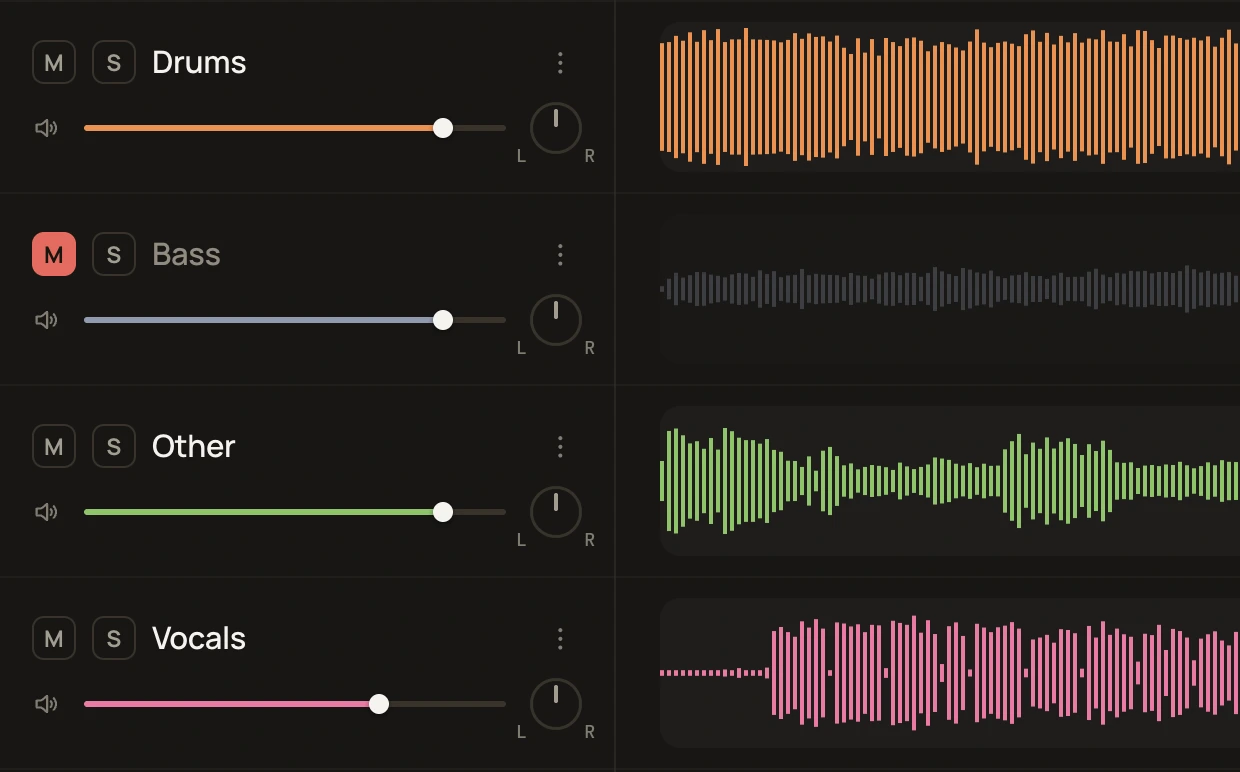
If you've never practiced a hard part at half speed, you don't know what you're missing. Slow it down until you can play it, then speed it up a little at a time. Once you've tried it, you won't go back.
Learn more about changing the tempo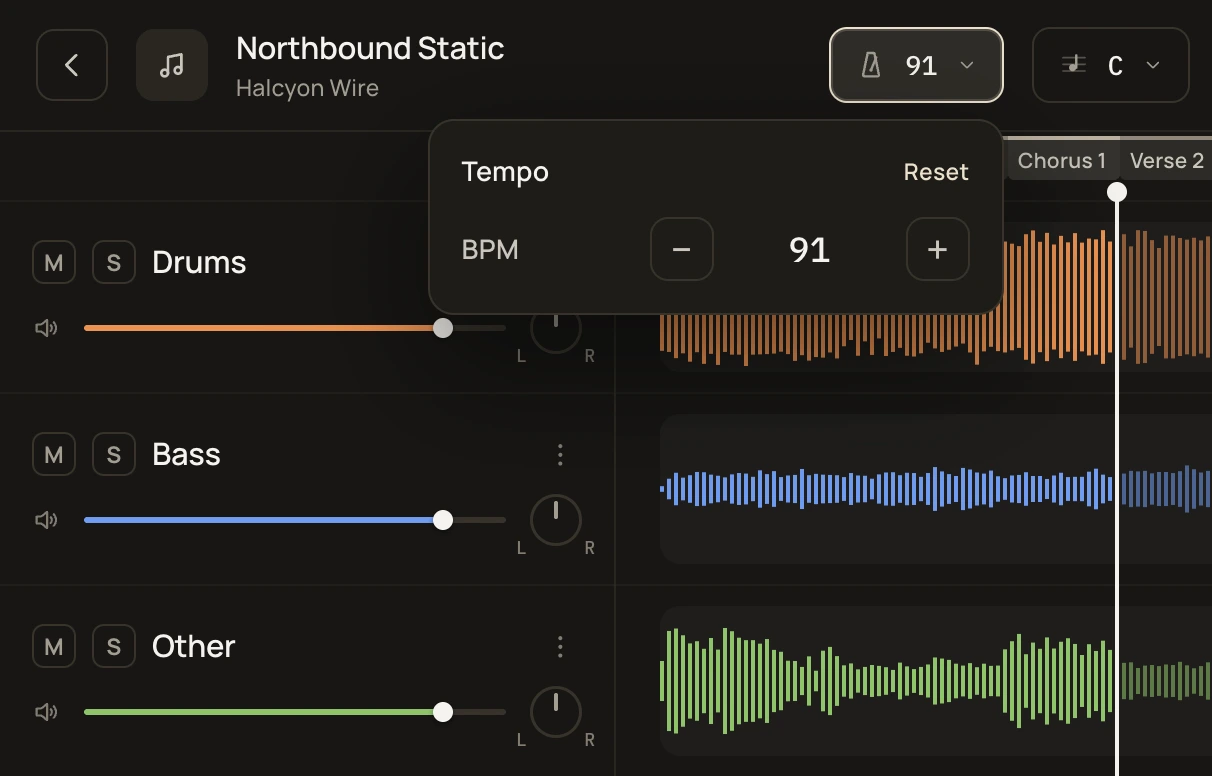
If a song is tuned down, you can move it up a semitone and skip the retuning. If you sing, you can move it to a key that feels comfortable.
Learn more about changing the key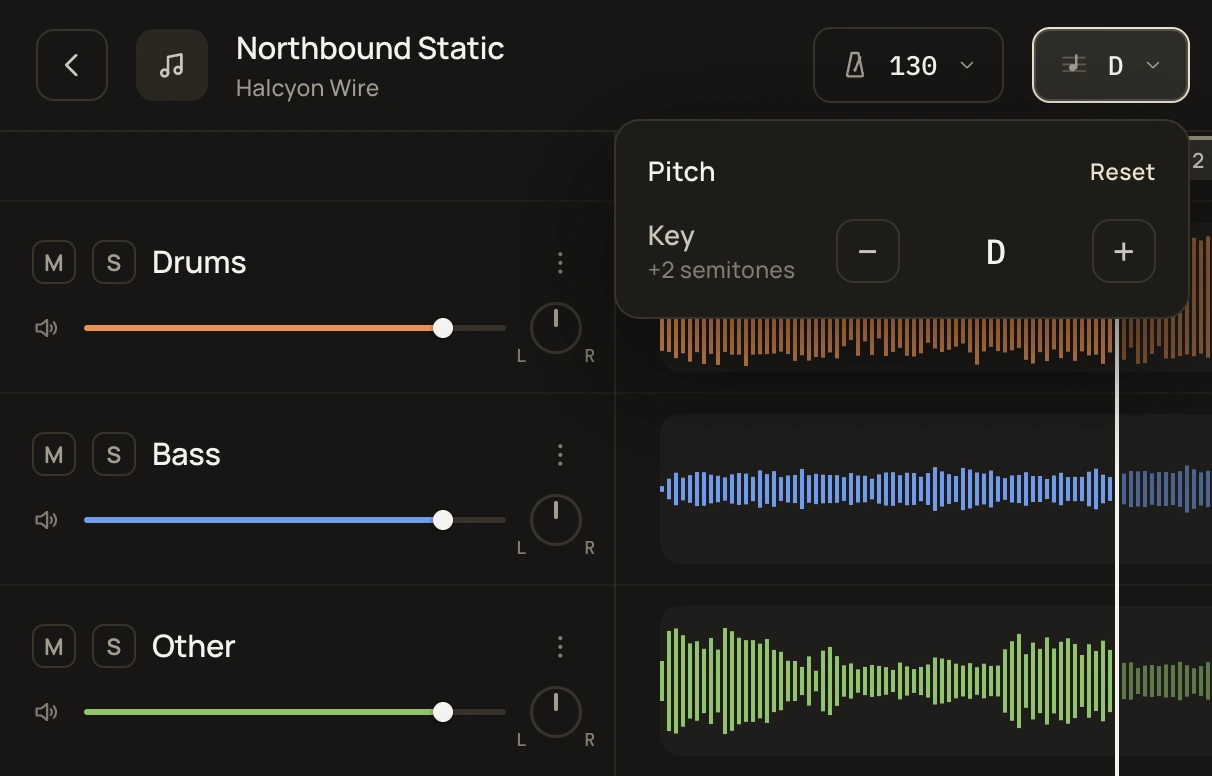
Loops snap to the beat and run without a gap, so you can play over the chorus again and again without a hiccup. unmxr finds the verses and choruses for you, and you can save the parts you're working on. unmxr makes practicing easier, but the work is yours: keep at it, and the part you couldn't play becomes the part you can.
Learn more about loops and sections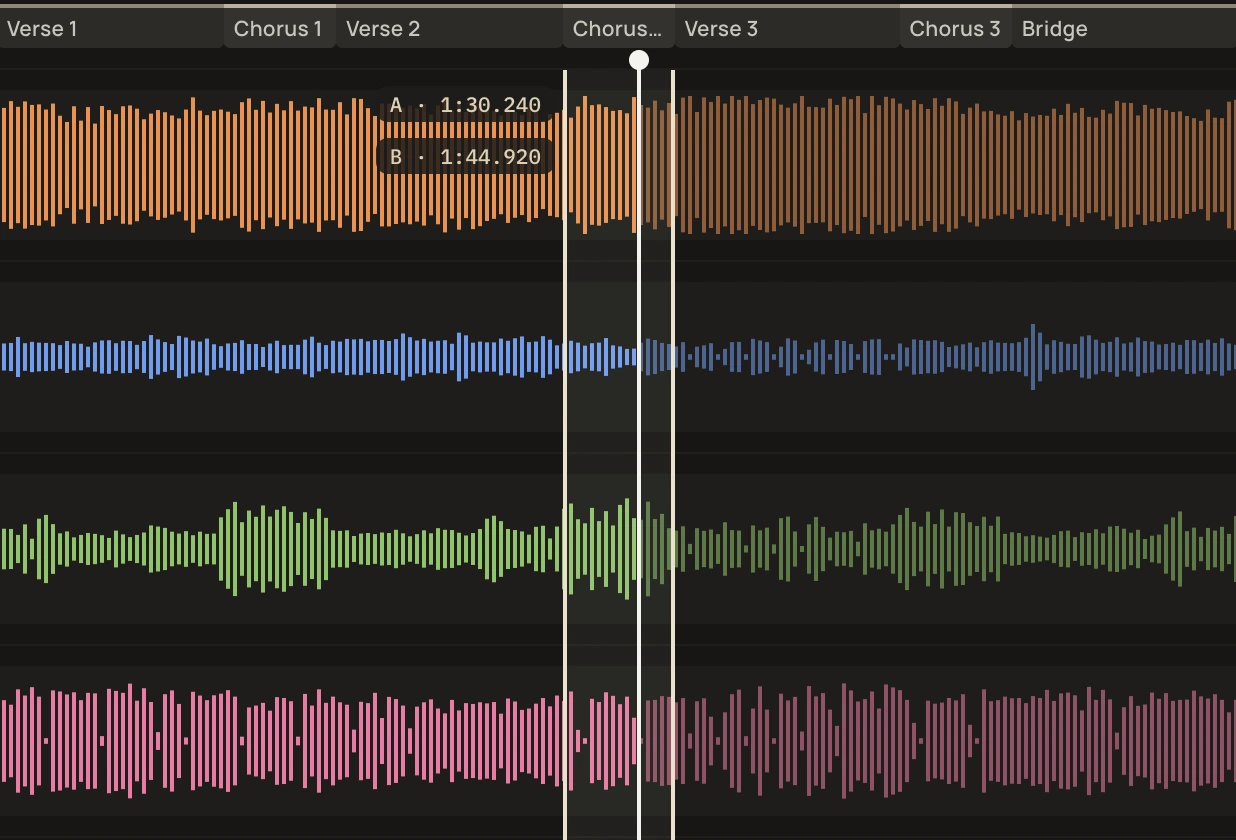
The click is built from the song's own beats, detected automatically, so it follows the band rather than a fixed tempo. It works best on songs in 4/4 with a steady feel.
Learn more about the metronome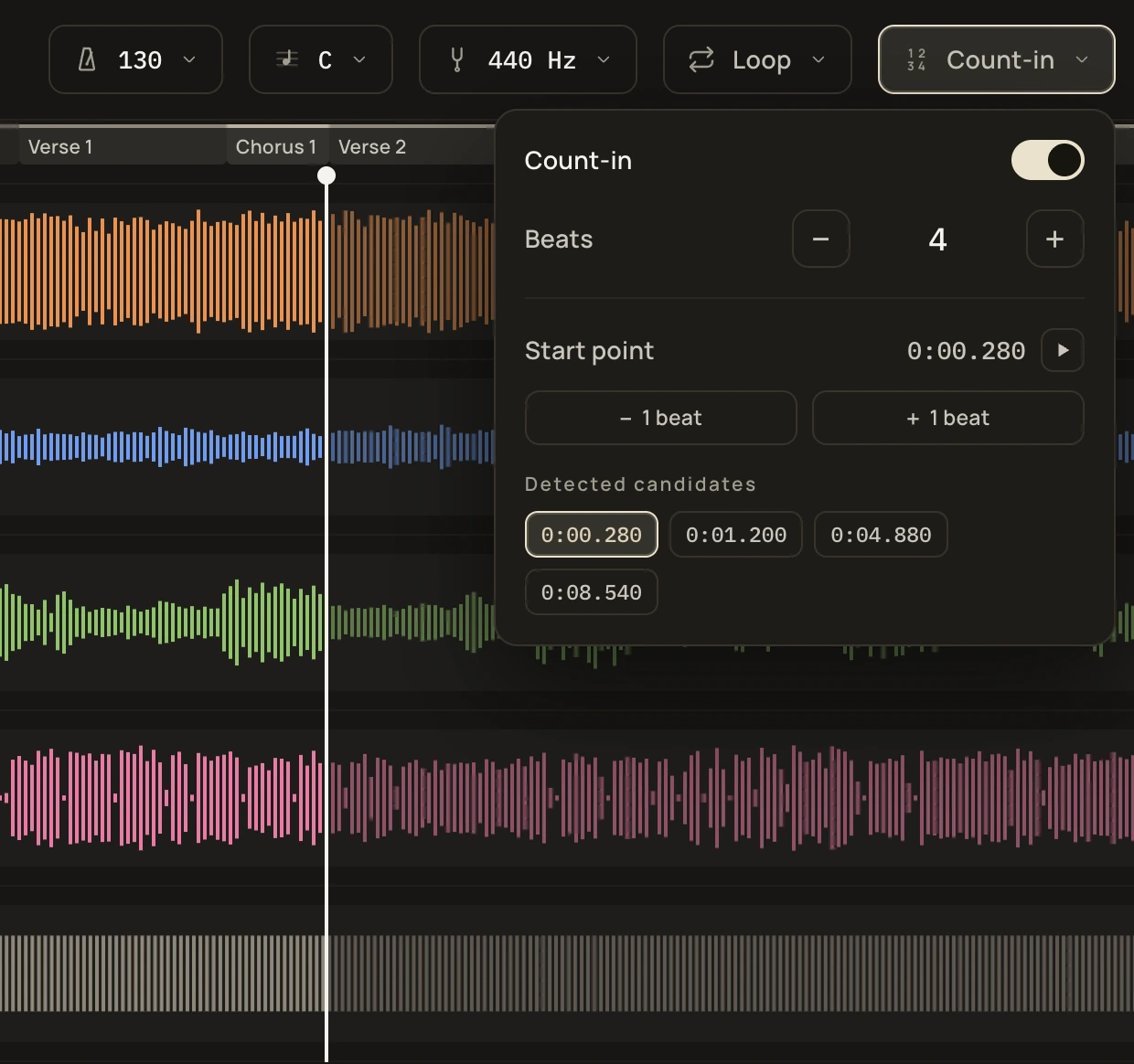
Time and feel are the most underrated skills in music. How it works: the music drops out at random while you keep playing; when it comes back, you'll hear whether you held the time. That's how you train your inner clock.
Learn more about the Time Trainer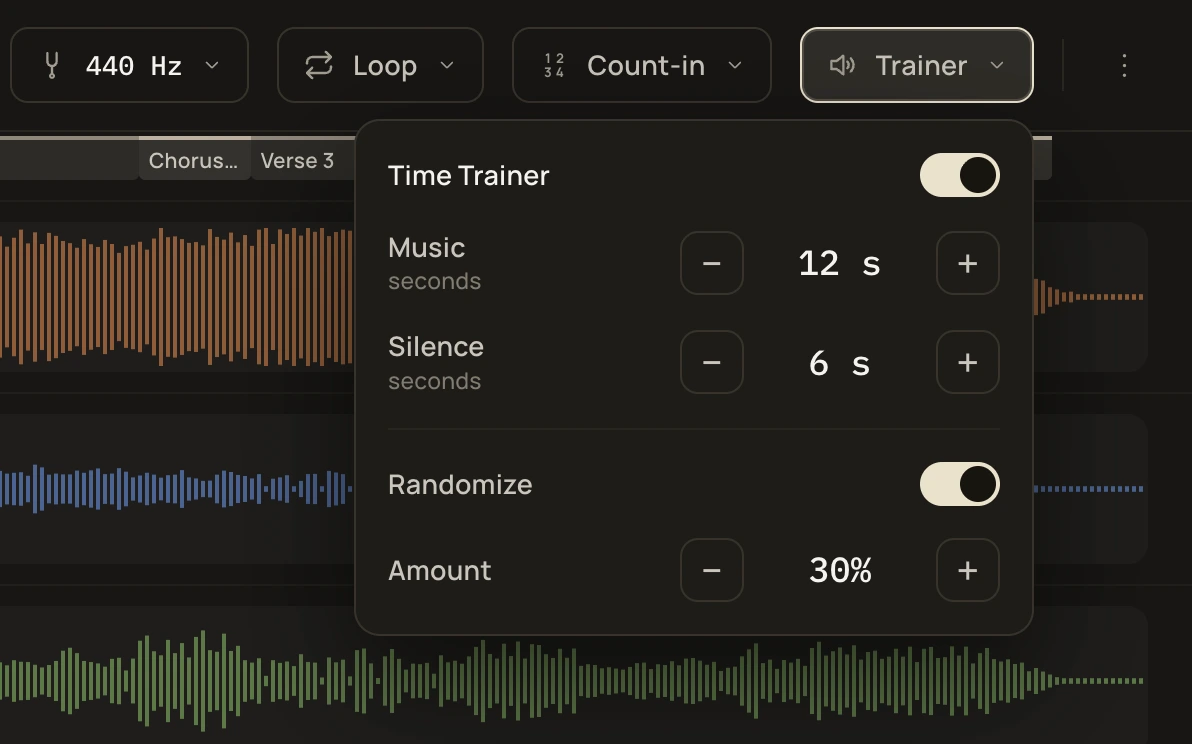
A six-band EQ and panning on every stem.
Retune old, off-pitch recordings to a reference A.
Single stems, your mix or the click track, as WAV, FLAC, Opus or M4A.
Every song you've split, by artist, in playlists and favorites.
Why unmxr
Every feature, free — no trial, no subscription, no ads. It all runs on your computer, so there are no servers to pay for.
Split, practice and export without an internet connection. A rehearsal room with no Wi-Fi is fine.
Your songs live on your disk, not in the cloud, so they load the moment you open them.
Keep your stems and exports lossless, as WAV or FLAC, at full quality.
Split as many as you like, as often as you like.
No sign-up, no tracking. Your songs never leave your computer.
I'm a Hungarian programmer by profession and a bass player for fun. I like practicing along with real songs with the original bass line muted, so I built unmxr to do exactly that. I've been working on it for years, and it's where the two things I love doing meet.
System requirements
Mac
macOS 13.3 or later
Apple silicon Mac
Windows
Windows 10 or 11
64-bit (x64)
Everything runs on your computer, so I don't have to pay for expensive servers to keep it going. That's why it can stay free for good.
No. I'm a senior developer with more than 15 years of experience, and I use AI as an assistant, not as a replacement for knowing what I'm doing.
Four: vocals, drums, bass and other. Guitars, keys and everything else are in "other".
No. Splitting songs, practicing and exporting all work offline.
unmxr just plays the song, like any music player. You hear your instrument the way you normally do: acoustic instruments and vocals over speakers or headphones, electric guitar or bass through an audio interface with direct monitoring, or a headphone amp or amp with Bluetooth or an aux input.
Never. Everything happens on your computer, and the app doesn't send anything anywhere.
A few minutes per song on a recent computer: a 4-minute song takes about 2½ minutes on a MacBook Pro with M2 Pro. Once a song is done, it opens instantly every time after.
No. Right now unmxr does all of its splitting on the CPU, so any supported computer will do. GPU support is planned for later: on reasonably recent graphics cards with 8–12 GB of memory, splitting will be a lot faster.
WAV, FLAC, MP3, Ogg Vorbis, Opus and MP4/M4A, up to 15 minutes long.
Yes — single stems, your mix or the click track, as WAV, FLAC, Opus or M4A. Use unmxr with music you have the right to use. Stems are for your personal practice.
No. On Mac, unmxr needs an Apple silicon Mac and macOS 13.3 or later.
Not yet — it's on the way. Until then, you can export your backing track and play it on your phone.
Get a little better every time you play.